
Download ReclaiMe – Free Data Recovery Tool for Windows, Mac, Android & iOS
ReclaiMe is a reliable and user-friendly data recovery tool designed to retrieve lost files from hard drives, SSDs, USB drives, memory cards, and more. Whether you've accidentally deleted files, formatted a drive, or faced a system crash, ReclaiMe offers a fast, secure, and efficient recovery solution. With support for multiple operating systems and advanced scanning algorithms, this software stands out as a top choice for both beginners and tech-savvy users. Download ReclaiMe today and restore your precious data with confidence.
ReclaiMe Overview: A Powerful Yet Simple Data Recovery Solution
When your important documents, photos, or videos disappear from your computer or storage device, panic can set in. That’s where ReclaiMe comes in—a dependable data recovery tool that simplifies the process of retrieving lost files. Unlike many complex recovery tools, ReclaiMe is designed with simplicity and efficiency in mind. It supports a wide range of storage media, including internal and external hard drives, SSDs, USB flash drives, SD cards, and even raw or unformatted drives that Windows fails to recognize.
One of ReclaiMe’s standout features is its intuitive interface. Even if you’ve never used a data recovery tool before, you’ll find it easy to navigate. The software performs deep scans on connected drives, analyzing every sector to locate recoverable files. Once the scan completes, it presents a clear, categorized list of found files—organized by type, size, and location—making it simple to identify and restore what you need.
ReclaiMe is particularly useful in scenarios where files have been permanently deleted or lost due to accidental formatting. The tool doesn’t rely on the Recycle Bin or file system metadata alone; instead, it uses advanced algorithms to recover data at the sector level. This means even if the file system is damaged or corrupted, there’s still a strong chance of recovery. Whether you’re a student recovering a term paper, a photographer restoring lost images, or a business professional retrieving critical reports, ReclaiMe delivers fast and reliable results.
Another major advantage is that ReclaiMe is available as a free version, allowing users to test its capabilities before upgrading to the full version. The free version lets you scan drives and preview recoverable files, giving you peace of mind before committing to a purchase. With its strong performance, secure recovery process, and cross-platform compatibility, ReclaiMe is a must-have tool in any digital safety kit.
Key Features of ReclaiMe: What Makes It Stand Out
ReclaiMe isn’t just another data recovery app—it’s packed with powerful features that make it a top-tier choice for users across different platforms. One of the most impressive features is its ability to recover data from drives that are not recognized by Windows. This includes raw drives, corrupted partitions, and even drives with missing file systems. This capability alone sets ReclaiMe apart from many competitors, which often fail when faced with such complex scenarios.
Another major strength is its support for multiple file systems, including NTFS, FAT32, exFAT, HFS+, and APFS. This ensures that whether you’re using a Windows PC, Mac, or even an Android or iOS device (via connected storage), ReclaiMe can analyze and recover data effectively. The software also supports both physical and logical drive recovery, meaning it can handle issues like bad sectors, disk errors, and accidental formatting.
ReclaiMe’s scanning engine is highly efficient. It uses a two-stage recovery process: a quick scan for recently deleted files and a deep scan for more complex recovery cases. The deep scan takes longer but thoroughly examines every sector of the drive, significantly increasing the chances of recovering lost data. After scanning, users can preview files before restoring them—this is a crucial feature that prevents accidental overwrites and ensures you’re getting exactly what you need.
Additionally, ReclaiMe offers a command-line interface for advanced users who prefer automation or integration into scripts. This makes it a versatile tool not only for personal use but also for IT professionals and system administrators. The software also includes a built-in recovery log that tracks scan progress and results, which is helpful for troubleshooting and future reference.
For users who need more than just file recovery, ReclaiMe provides options to repair corrupted drives and reformat them safely. This feature is especially useful when dealing with drives that have become inaccessible due to system errors or malware attacks. With its combination of speed, reliability, and versatility, ReclaiMe truly delivers on its promise of comprehensive data recovery.
How to Install and Use ReclaiMe: Step-by-Step Guide
Installing and using ReclaiMe is straightforward, even for users with minimal technical experience. To begin, visit the official ReclaiMe website and download the appropriate version for your operating system—Windows, Mac, or Linux. The installation process is quick and requires no complicated configurations. Simply run the installer, accept the license agreement, and follow the on-screen prompts to complete setup.
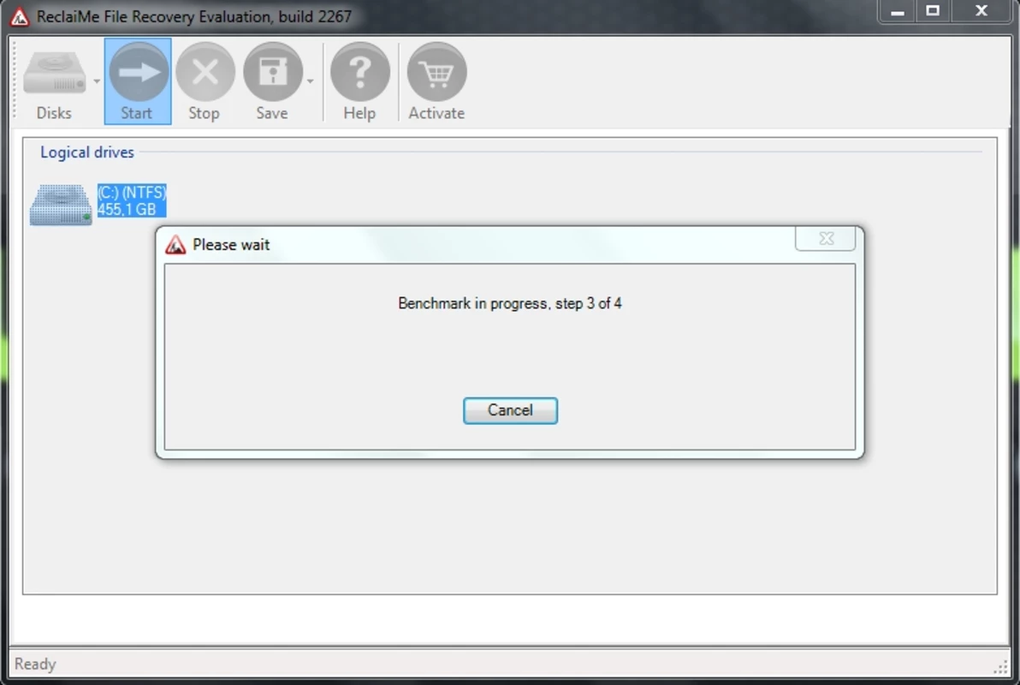
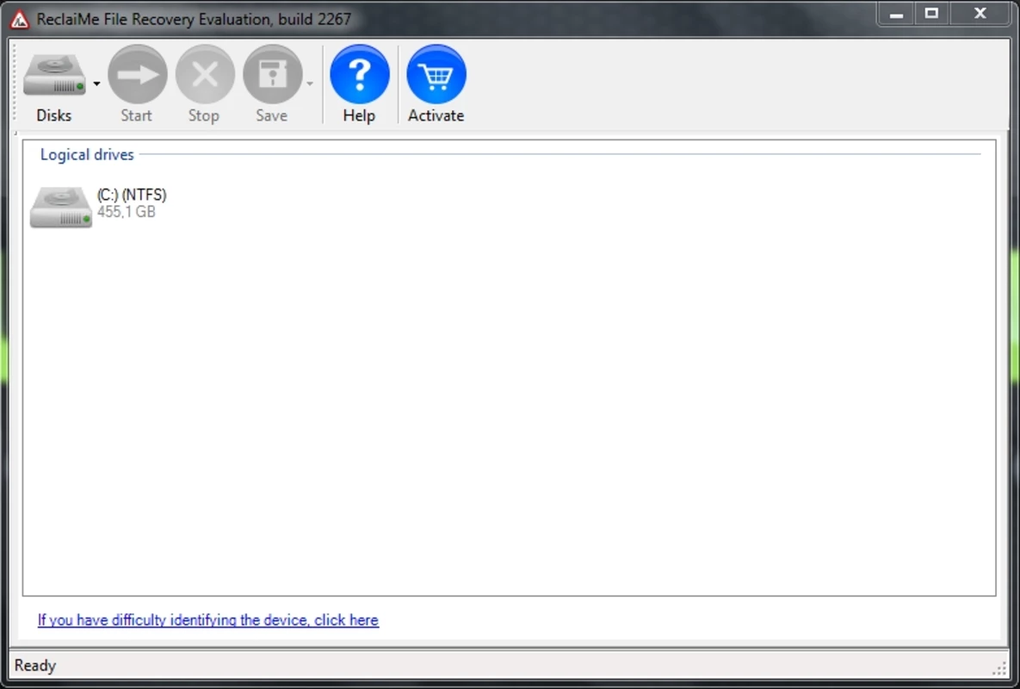
Once installed, launch ReclaiMe and connect the storage device you wish to recover data from. This could be an external hard drive, USB flash drive, SD card, or even a failed internal drive. The software automatically detects all connected drives. Select the target drive from the list and click “Start Scan.” ReclaiMe will begin analyzing the drive using its intelligent scanning algorithm.
During the scan, you can monitor progress in real time. The software displays the percentage completed, estimated time remaining, and the number of recoverable files found. For quick recoveries, the “Quick Scan” mode is ideal. However, if files were deleted a long time ago or the drive was reformatted, opt for the “Deep Scan” mode for a more thorough search.
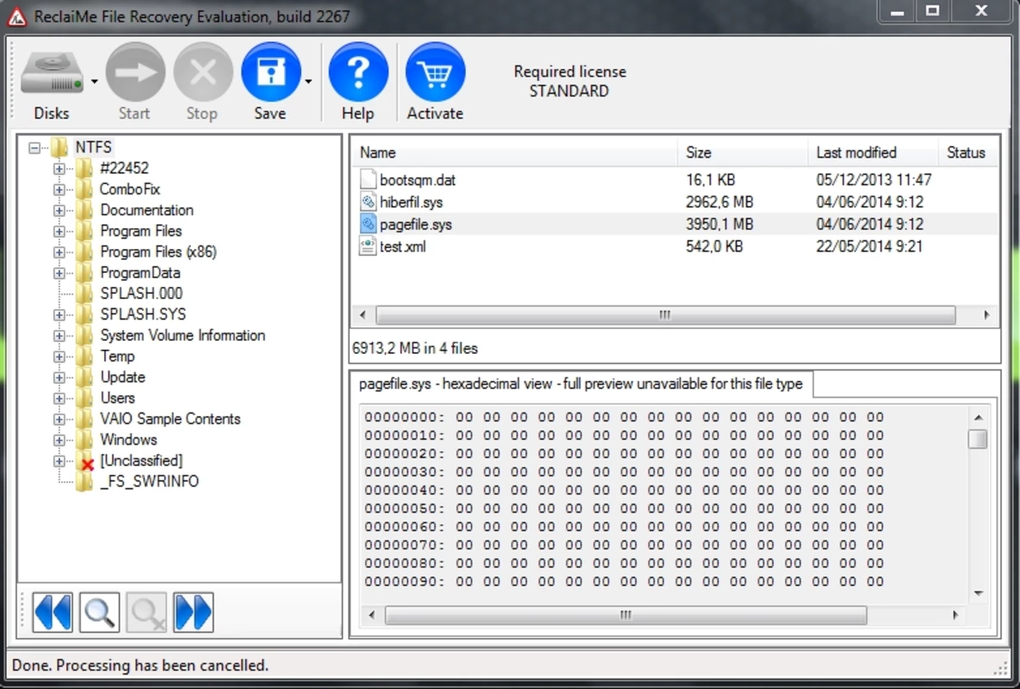
After the scan finishes, ReclaiMe presents a comprehensive list of recoverable files. You can browse them by file type, folder structure, or even use the search function to locate specific documents. The preview feature allows you to open images, PDFs, and text files directly within the software—no need to restore first.
To restore files, simply check the boxes next to the items you want to recover, choose a safe destination (preferably a different drive to avoid overwriting), and click “Recover.” The software will copy the files securely to your chosen location. It’s important to avoid saving recovered files back to the original drive, as this could overwrite unrecovered data and reduce recovery success.
Compatibility & System Requirements: Works Across Platforms
ReclaiMe is designed to be compatible with a wide range of operating systems and hardware, making it a truly cross-platform solution. It supports Windows 7 and later (including Windows 10 and 11), macOS 10.13 and above, and Linux distributions with compatible kernel versions. This ensures that whether you're using a desktop, laptop, or even a virtual machine, you can rely on ReclaiMe for data recovery.
For mobile users, ReclaiMe doesn’t directly recover data from iOS or Android devices, but it can access and recover files from connected storage cards (like microSD cards) or USB drives that are transferred via OTG or card readers. This makes it a practical tool for users who store photos and videos on external media.
The software has minimal system requirements, which means it runs smoothly even on older machines. A modern processor, at least 2 GB of RAM, and 100 MB of free disk space are sufficient. This low footprint ensures that ReclaiMe doesn’t slow down your system during scans, which is crucial when you’re under pressure to recover critical data.
Additionally, ReclaiMe supports a broad range of storage devices, including SATA, IDE, NVMe, USB 2.0/3.0/3.1, and wireless drives. This flexibility allows users to recover data from almost any source, whether it’s a failed laptop drive, a corrupted SD card from a camera, or a damaged external hard drive.
For enterprise users, ReclaiMe offers a business license with centralized management and batch recovery options, making it suitable for IT departments managing multiple devices. The software is also regularly updated to support new file systems and storage technologies, ensuring long-term reliability and compatibility.
Pros and Cons of ReclaiMe: Honest Review
- Pros:
- Free version available with full scan and preview capabilities
- Supports raw, unformatted, and corrupted drives
- Works on Windows, Mac, and Linux
- Advanced deep scan for maximum recovery rates
- File preview before recovery—no risk of overwriting
- Supports multiple file systems (NTFS, FAT32, exFAT, HFS+, APFS)
- Command-line interface for advanced users
- Regular updates and strong customer support
- Cons:
- Cannot directly recover data from iOS or Android devices
- Full version requires a paid license for large-scale recovery
- Deep scan can take several hours on large drives
- Interface is functional but not as polished as some competitors
- Recovery success depends on drive condition and data overwrites
Frequently Asked Questions (FAQ)
Can ReclaiMe recover files from a formatted drive?
Yes, ReclaiMe can recover data from formatted drives, especially if the formatting was recent and no new data has been written to the drive. The software performs a deep scan to locate lost file clusters and reconstruct them, making it effective even after a quick format.
Is ReclaiMe safe to use on my computer?
Absolutely. ReclaiMe is a read-only tool that does not modify the original drive during scanning. It only copies recovered files to a different location, ensuring your original data remains intact and secure.
How long does a deep scan take?
The duration depends on the drive size and condition. A deep scan on a 1TB drive can take 2–6 hours. However, the process is fully automated, and you can close the software and resume later without losing progress.
Can I recover files from a physically damaged hard drive?
ReclaiMe can only recover data from logically damaged drives. If the drive has physical damage (such as head crashes or motor failure), it’s best to consult a professional data recovery service.
Does ReclaiMe support Mac and Linux?
Yes, ReclaiMe is available for macOS 10.13 and above, as well as Linux systems with compatible kernel versions. It supports HFS+ and APFS file systems on Mac, and ext4, XFS, and other common Linux formats.
Final Verdict: Why You Should Download ReclaiMe Today
ReclaiMe is a powerful, reliable, and accessible data recovery tool that deserves a spot in every digital user’s toolkit. Whether you’re a casual user who lost a family photo or a professional dealing with critical project files, ReclaiMe delivers fast, secure, and effective recovery results. Its ability to handle raw drives, corrupted partitions, and deep scans sets it apart from many competitors.
The free version is impressively functional, allowing you to scan and preview files without any cost. This transparency builds trust and gives users confidence before upgrading. With support for Windows, Mac, and Linux, cross-platform compatibility, and regular updates, ReclaiMe remains a top choice in the data recovery space.
Don’t wait until it’s too late. Download ReclaiMe now and protect your valuable data with a tool that’s as smart as it is simple. Whether you're recovering from a deleted file or a failed drive, ReclaiMe has your back.







